Fitness Timelines
See how your progress was built.
Every sport in its own lane, on one axis, next to what the body was doing at the time.
One purchase · no subscription · iPhone, iPad and Mac
Scroll to assemble the axis
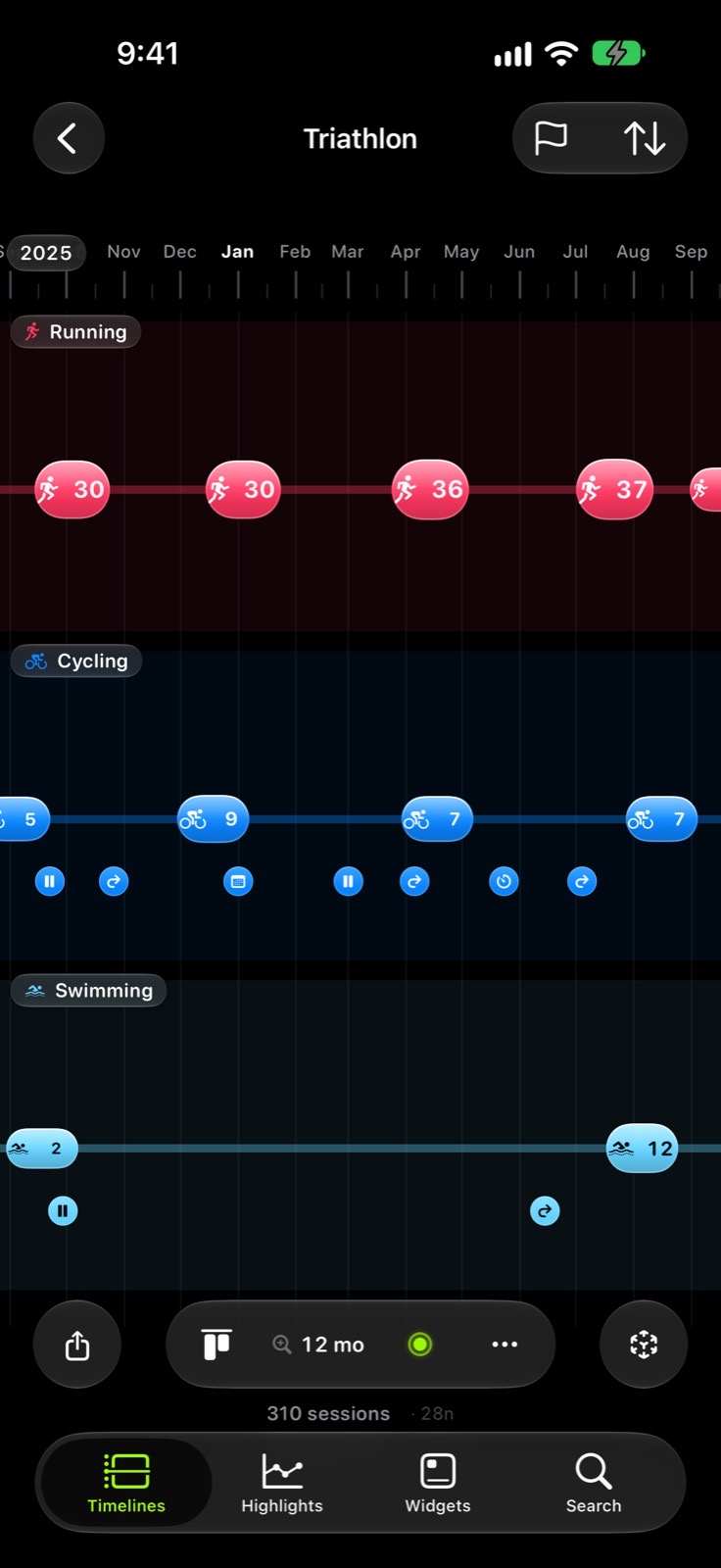
A timeline
Pick the sports. Add the body. Read the axis.
The timeline keeps the recipe; the sessions are read from Health every time.
- 01
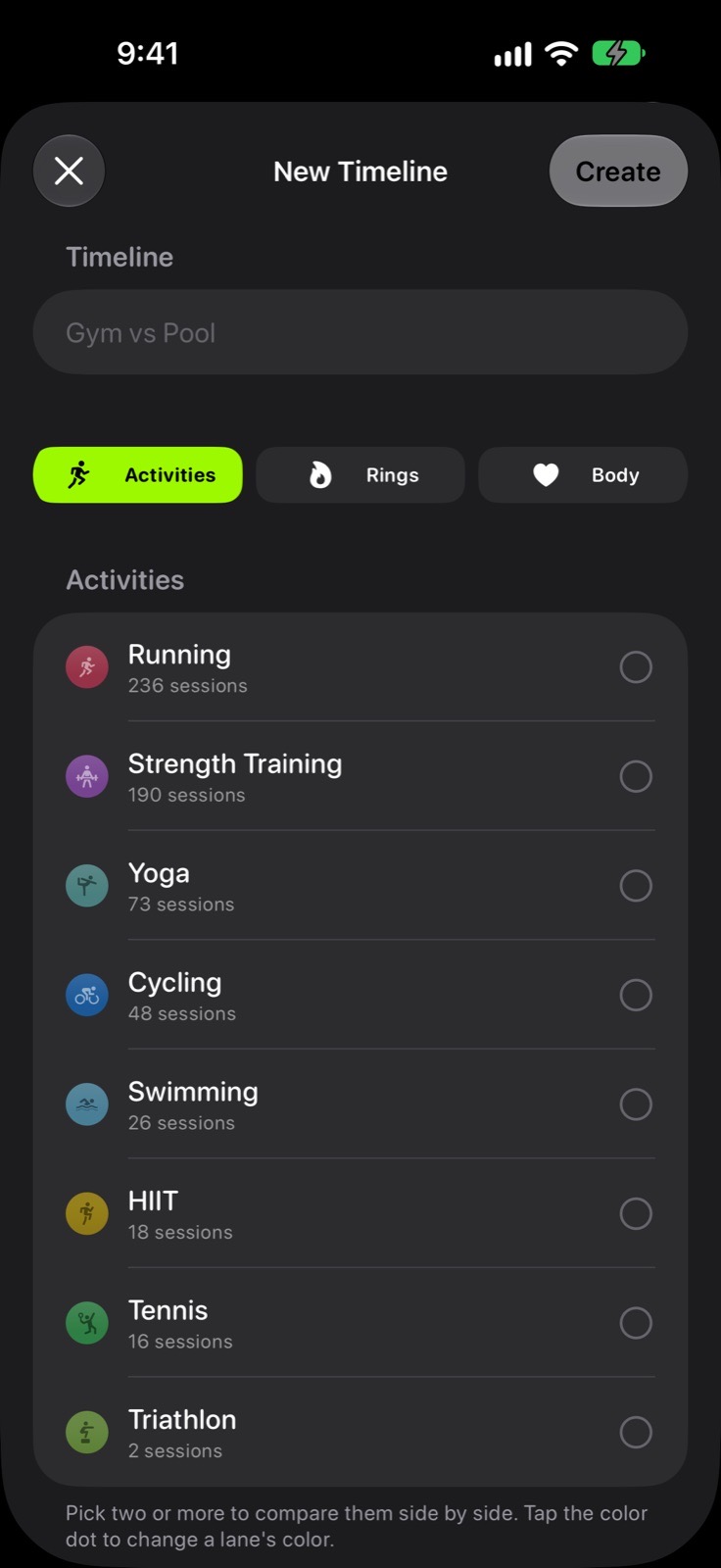
Sports
Six groups, from endurance to mind and body. Each group is a lane.
- 02
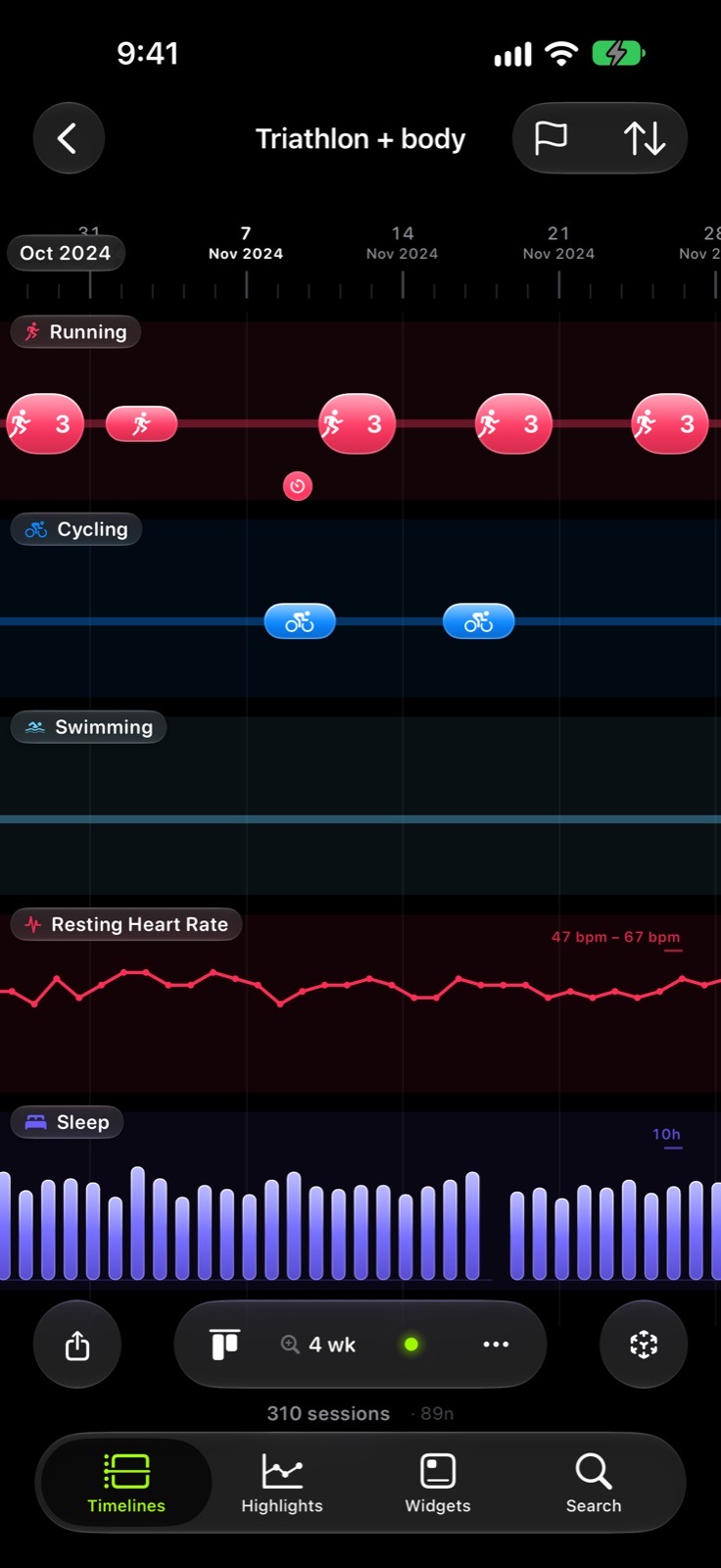
Body
Up to five lanes: sleep, resting heart rate, variability, mood and effort.
- 03
The axis
One proportional time axis for every lane. No second scale, ever.
- 04
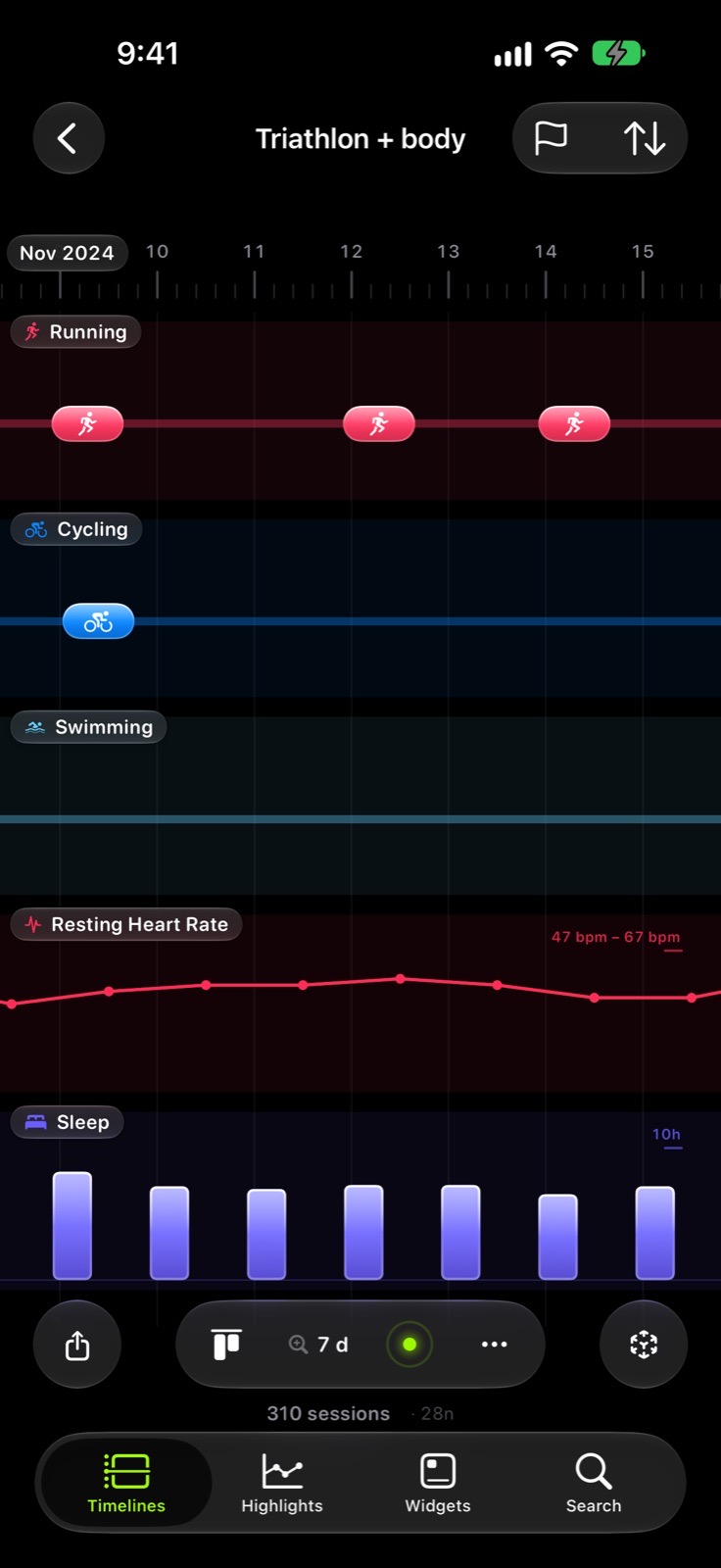
Zoom
From six years to a single Tuesday, and the marks change with it.
Views
The same years, seen differently.
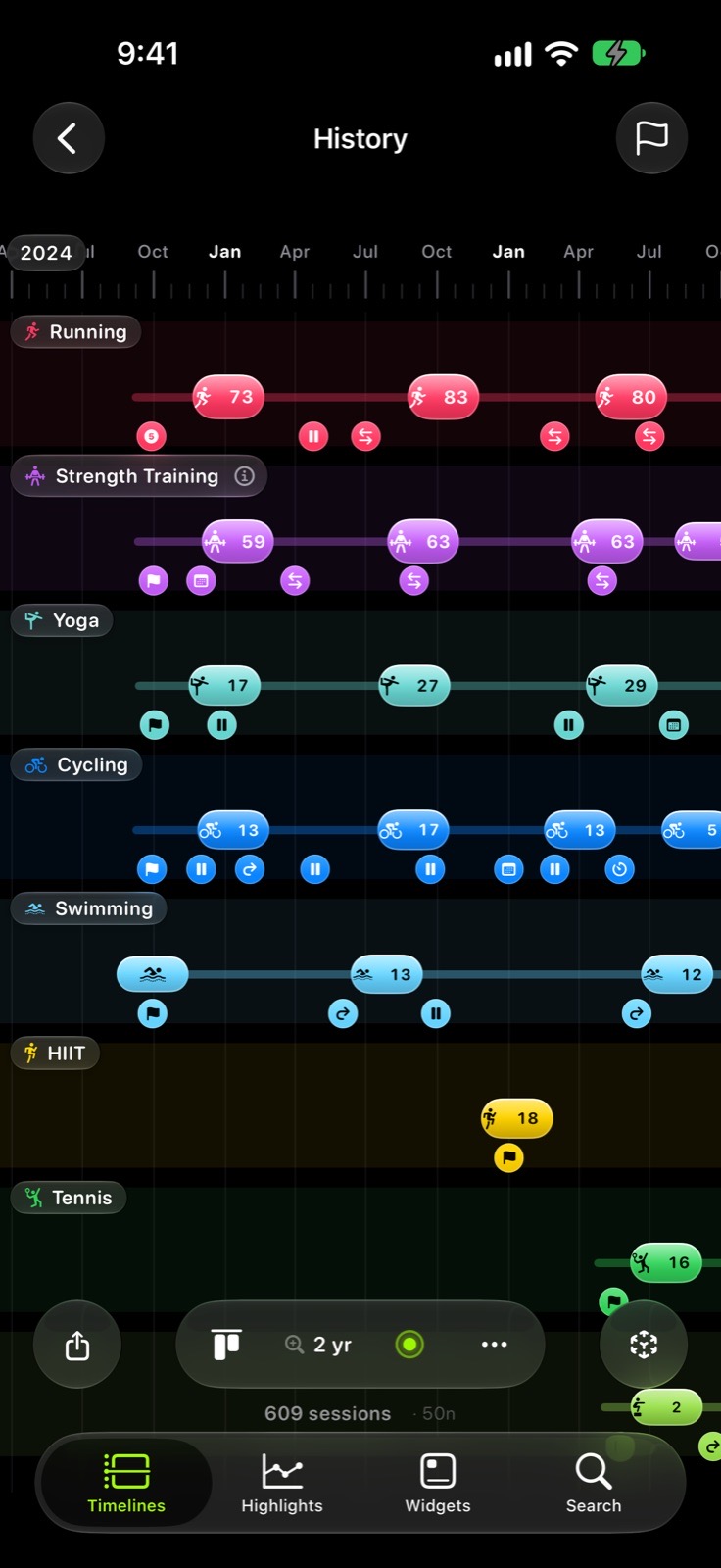
Four views to start with, two more when a question needs them, and one for the sport you do most.
- TodayThe day as it happened, hour by hour.
- HistoryEvery year you have trained, end to end.
- MultisportTwo or three sports crossing on one axis.
- MilestonesThe long session, the long distance, the fast pace. Dated.
- Night owlThe hour of the day you actually train.
- Your sportThe group you train most, with its own block of weeks.
- SourcesWhich watch or app recorded it. Not a ranking.
Six sport groups
- Endurance
- Strength
- Water
- Outdoors & Mountains
- Team & Racket
- Mind & Body
Health does not store sets or reps, so neither does this. What it shows is how often, how long and how far.
enThe body, on the same axis
One lane rises while another falls.
That is the story. The app puts the lanes side by side and says while — never because.
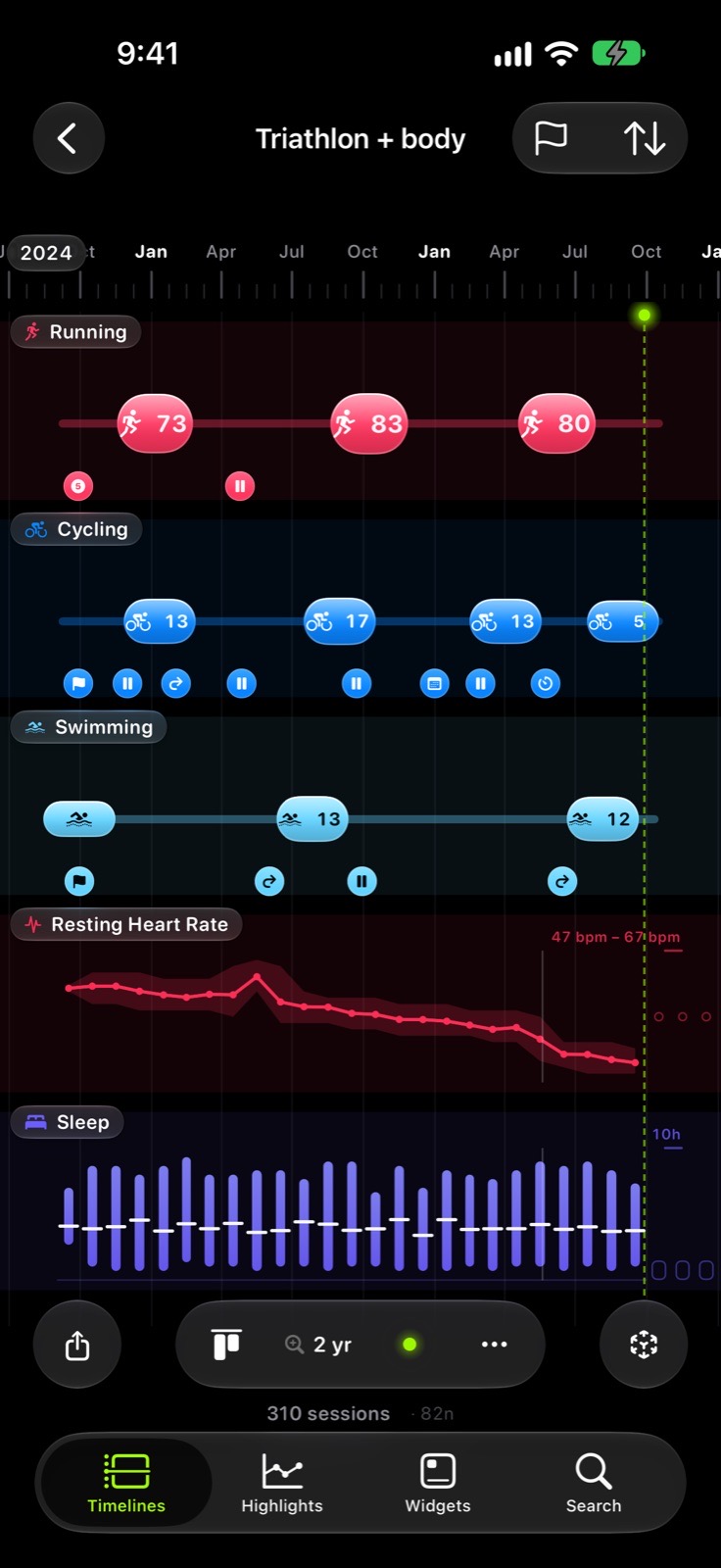
- SleepA four-stage band across the night.
- Resting heart rateA line with a visible gap where there is no reading.
- VariabilityIts own band, because there is no universal normal.
- State of MindA bipolar point. Indigo to orange, never red to green.
- EffortWhat you logged, 1 to 10, as you logged it.
Compared against your own range, in a period the app names. No scores, no verdicts.
Widgets
Four ways to keep it on the Home Screen.
The timeline, small.
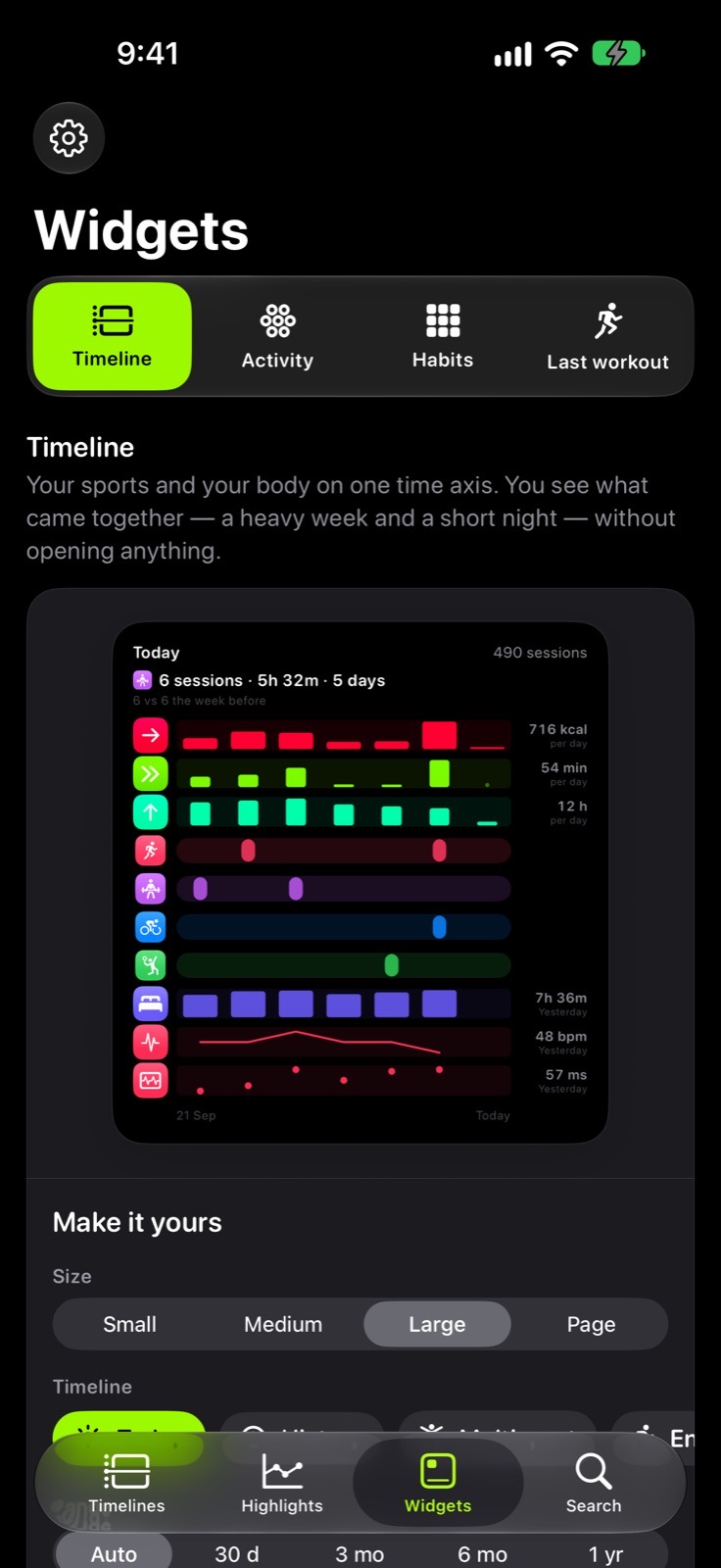
TimelineYour lanes side by side, ending today. 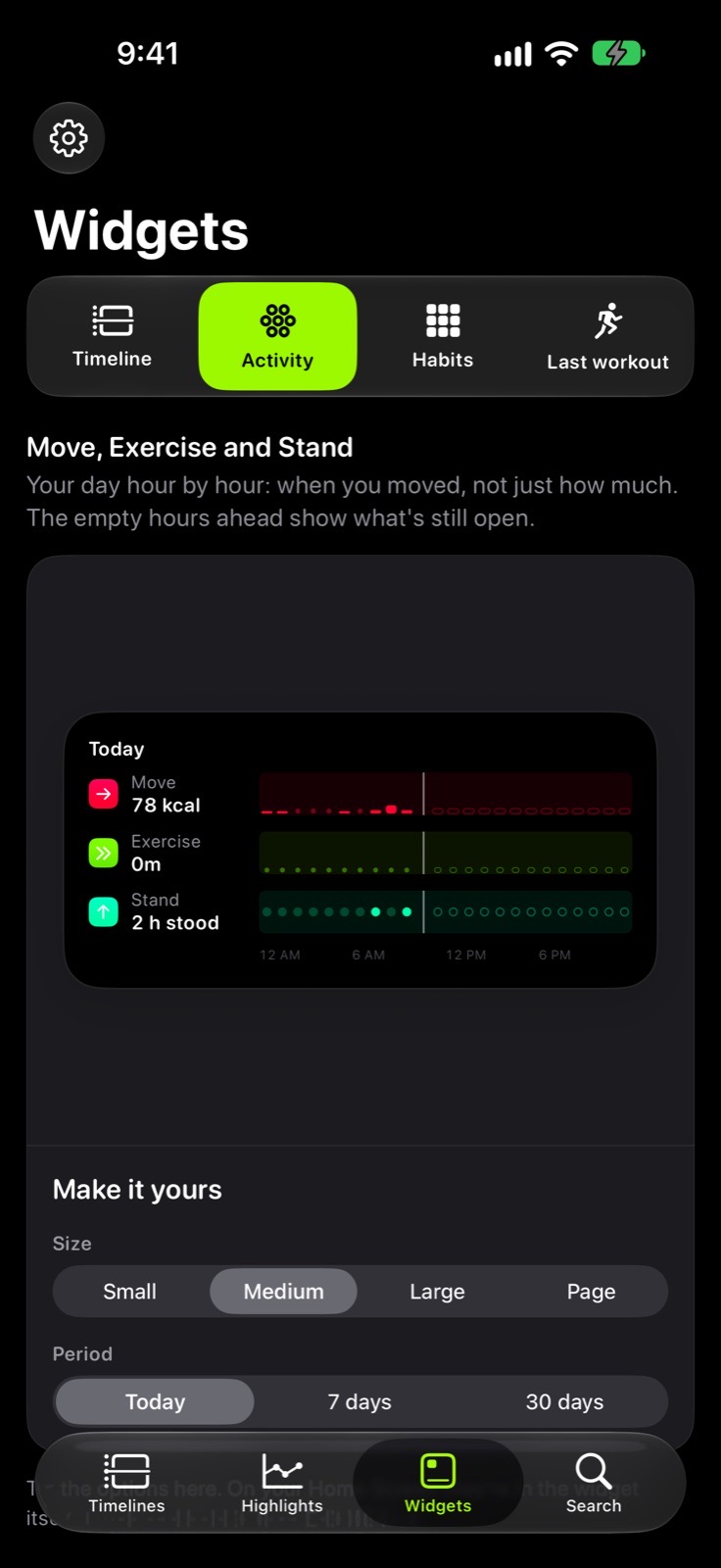
Move, Exercise and StandThe day hour by hour. 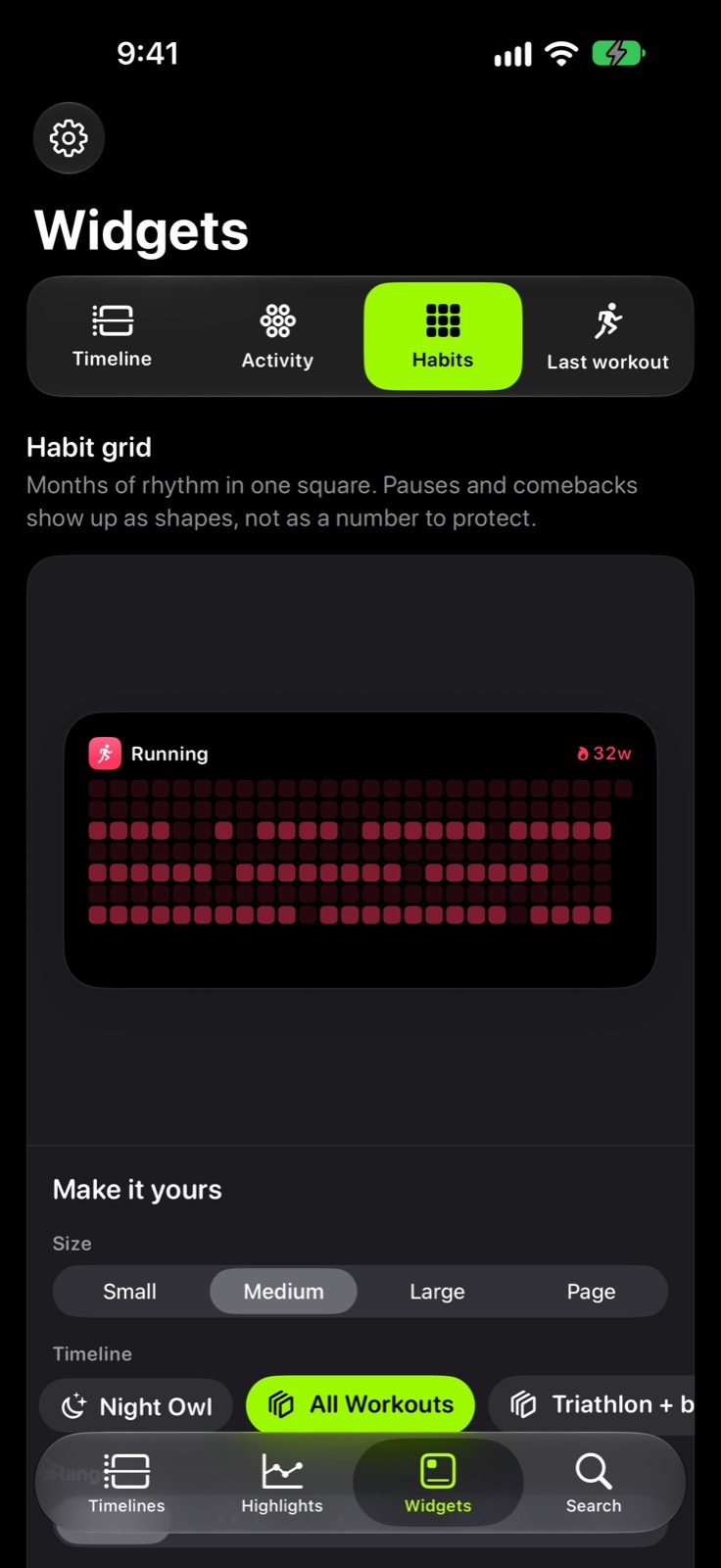
Habit gridYour training rhythm at a glance. 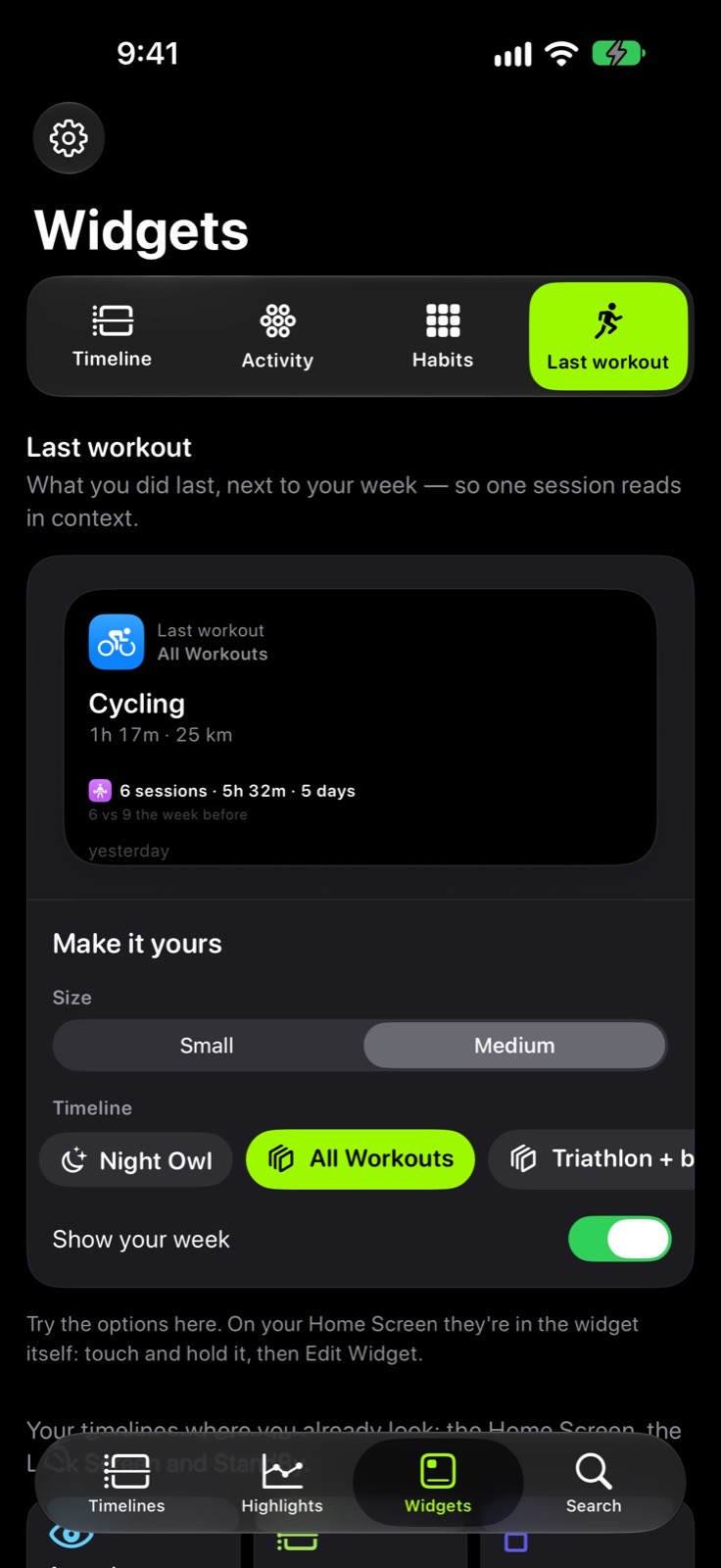
Last workoutWhat you did last, from the timeline you choose.
Beyond the iPhone
iPhone, iPad and Mac.
The same timelines, with the room each screen has.
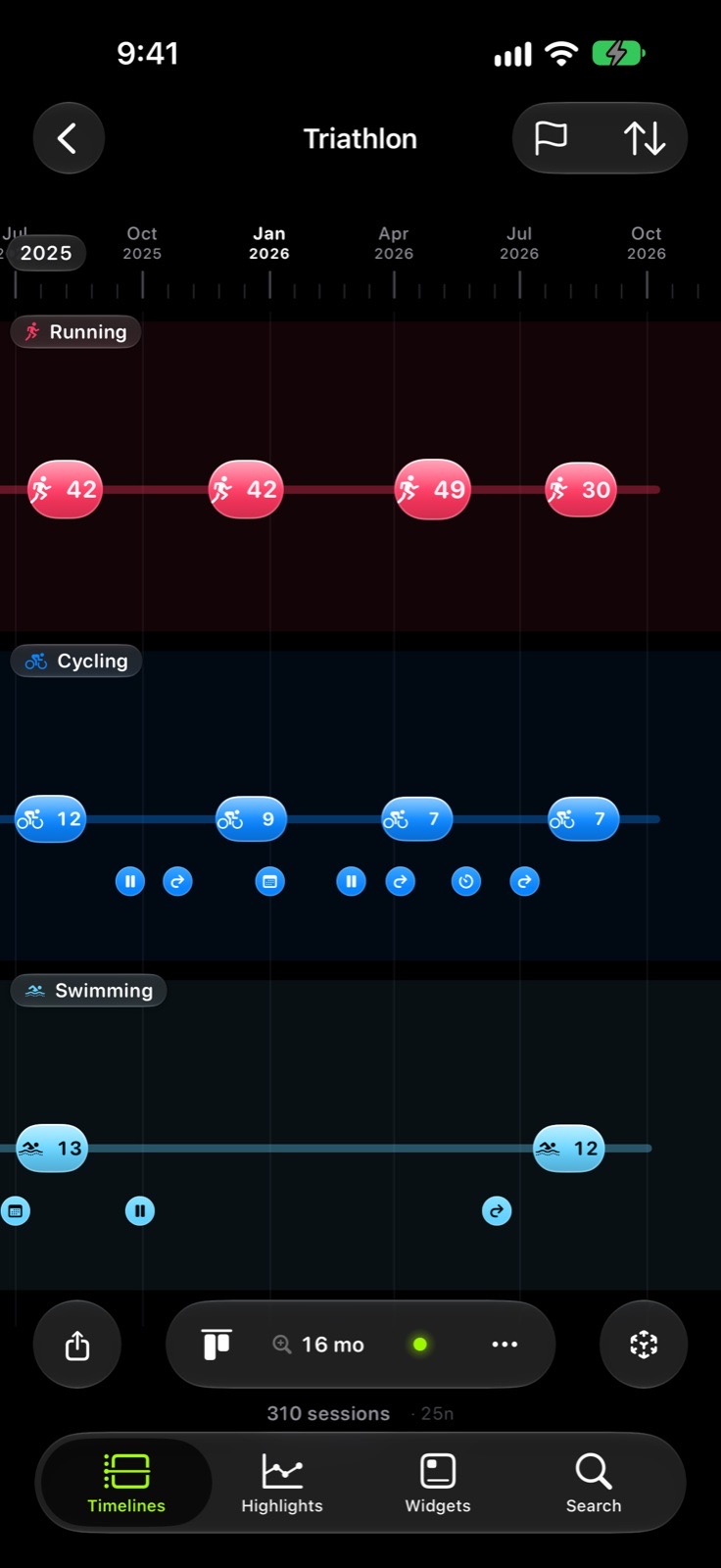
iPhone
Four tabsTimelines, Highlights, Widgets and Search.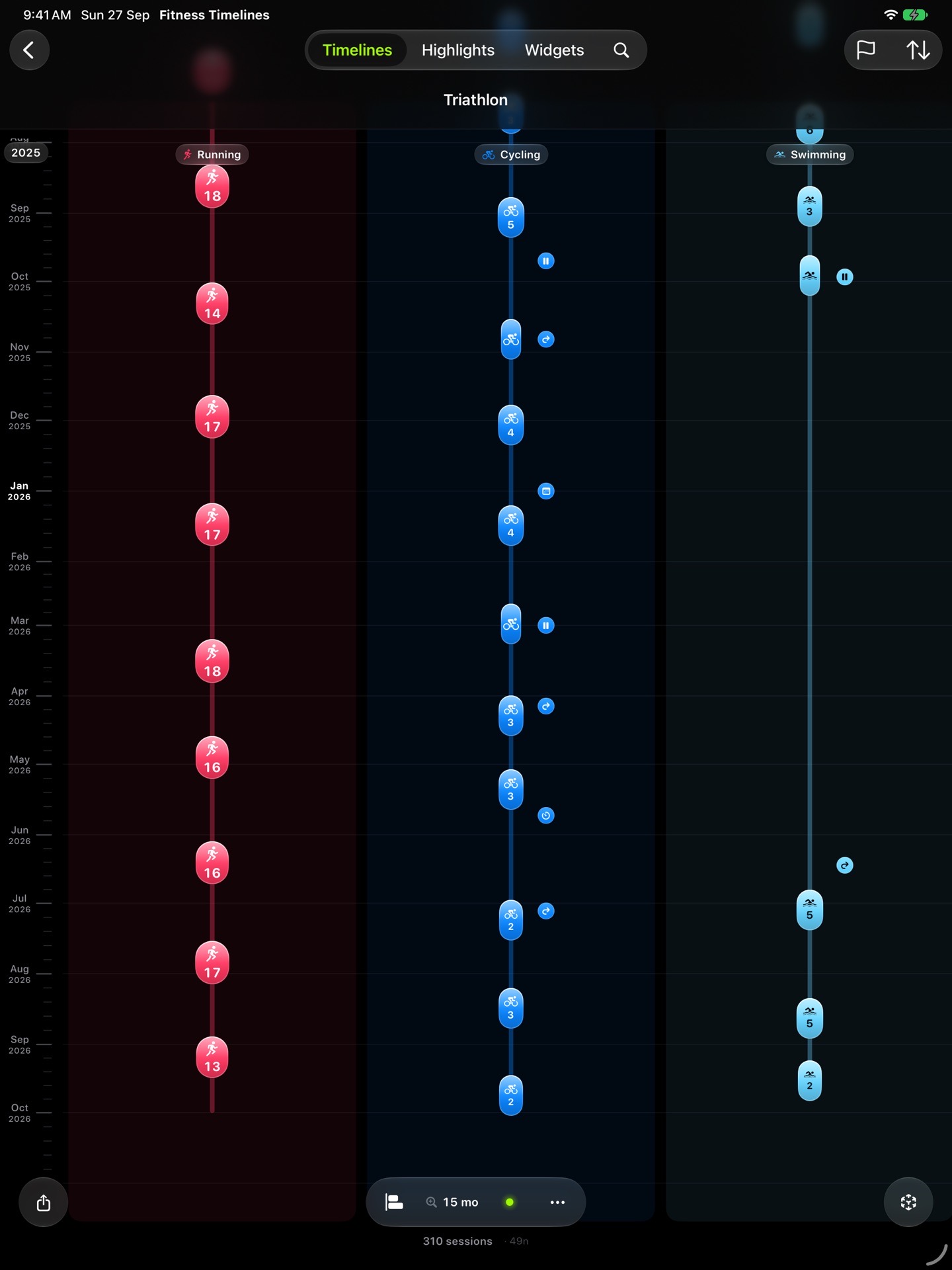
iPad
More roomMore lanes on screen, and the keyboard to move through the years.Mac
The whole historyThe Mac reads the mirror, so the years are there without Health.Your data moves only between your devices and your private iCloud, encrypted. Nothing reaches the developer.
App Store
One purchase.
No subscription.
On the App StoreComing soon
iPhone · iPad · Mac
- Every sport on one axis
- Six sport groups
- Five body lanes
- Seven views
- Four widgets
- Export as PDF, CSV or video